
DataSpace 1.14
DataSpace 1.14 is here, and it is one of the biggest releases we have shipped so far. It gives you a much deeper view into your pipelines and the builds that run them, and makes it easier for teams to build on each other’s work. Alongside that come many improvements to data quality, version control, security and administration.
Column-level lineage
Section titled “Column-level lineage”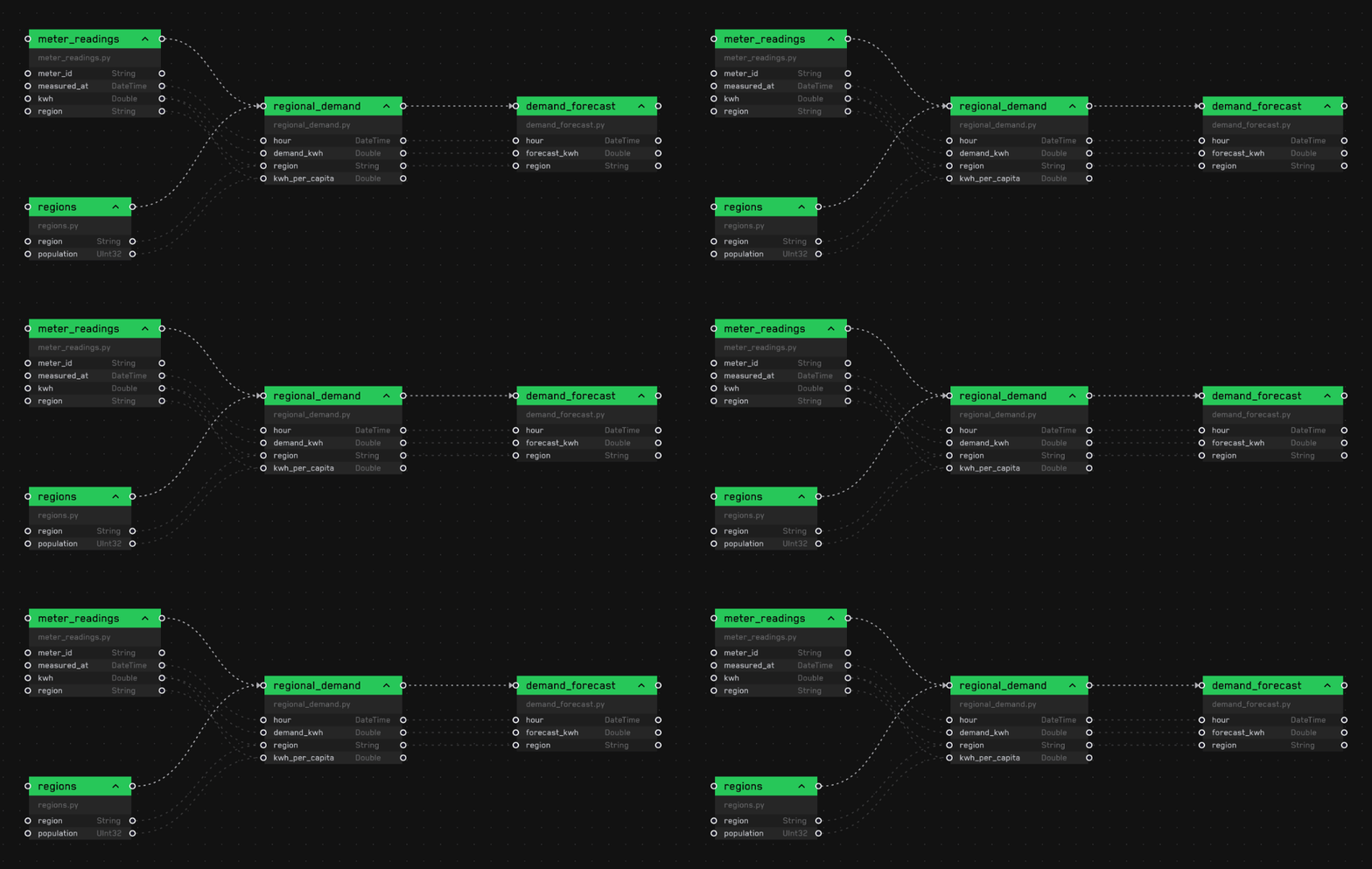
You can now trace individual columns through your pipeline. Expand a transform to see its columns, their types and the input columns they depend on.
DataSpace derives this directly from your Polars code and updates it with every build. This helps you understand where a number in a report comes from, or check what would be affected before changing a column.
Live build monitoring
Section titled “Live build monitoring”Builds now show CPU, memory, network and disk usage in real time. If a transform is taking longer than expected, you can see where it might be getting stuck. If it runs out of memory, the logs show the limit and peak usage.
We’ve also added progress estimates based on previous builds, so you have a better idea of how long a run will take.
Build history
Section titled “Build history”The new build rail brings previous runs into the transform panel. Select a build to revisit its logs, metrics, health checks and artifacts. This makes it easier to investigate a failed run or find out when something changed.
Each build also links to the commit it ran and to its input datasets, so you can see exactly which code and data produced a result.
Pipelines across workspaces
Section titled “Pipelines across workspaces”You can now use datasets from other workspaces as inputs to your transforms. This lets teams build on each other’s work without copying data or maintaining the same pipeline twice.
Each workspace decides which transforms to publish. Linked transforms are marked in the lineage graph, while their builds and schedules remain managed by the original workspace.
The Catalog brings published datasets together, so you can find what’s available across the workspaces you have access to.
Health checks
Section titled “Health checks”Failed health checks now let you inspect the rows that caused the failure, alongside column statistics. You can look into the problem directly without writing a separate query.
Checks run against the dataset produced by the build, and warnings and failures are visible on the lineage graph.
Other improvements
Section titled “Other improvements”- Commit history: Browse workspace commits and see exactly what changed in each file.
- Data preview: Right-click a cell to filter by its value or read long values in full.
- Passkeys and sessions: Sign in without a password, and view or end active sessions from your profile.
- Administration: Added a license page, audit logs, more detailed monitoring and improved user management.
- Draft builds: Read the first one million rows of each input by default, with an adjustable limit.
- Schedules: Clearer run history and better performance as the history grows.
- Various bug fixes and performance improvements.
And we are far from done: there is a lot more in the works, and we cannot wait to show you what comes next.