
Builds
Builds
Section titled “Builds”A build refers to the process of running a transformation and producing an output dataset or artifacts.
Regular Build
Section titled “Regular Build”A build can be triggered by selecting one or multiple transformations in the lineage page and clicking on the Build button.
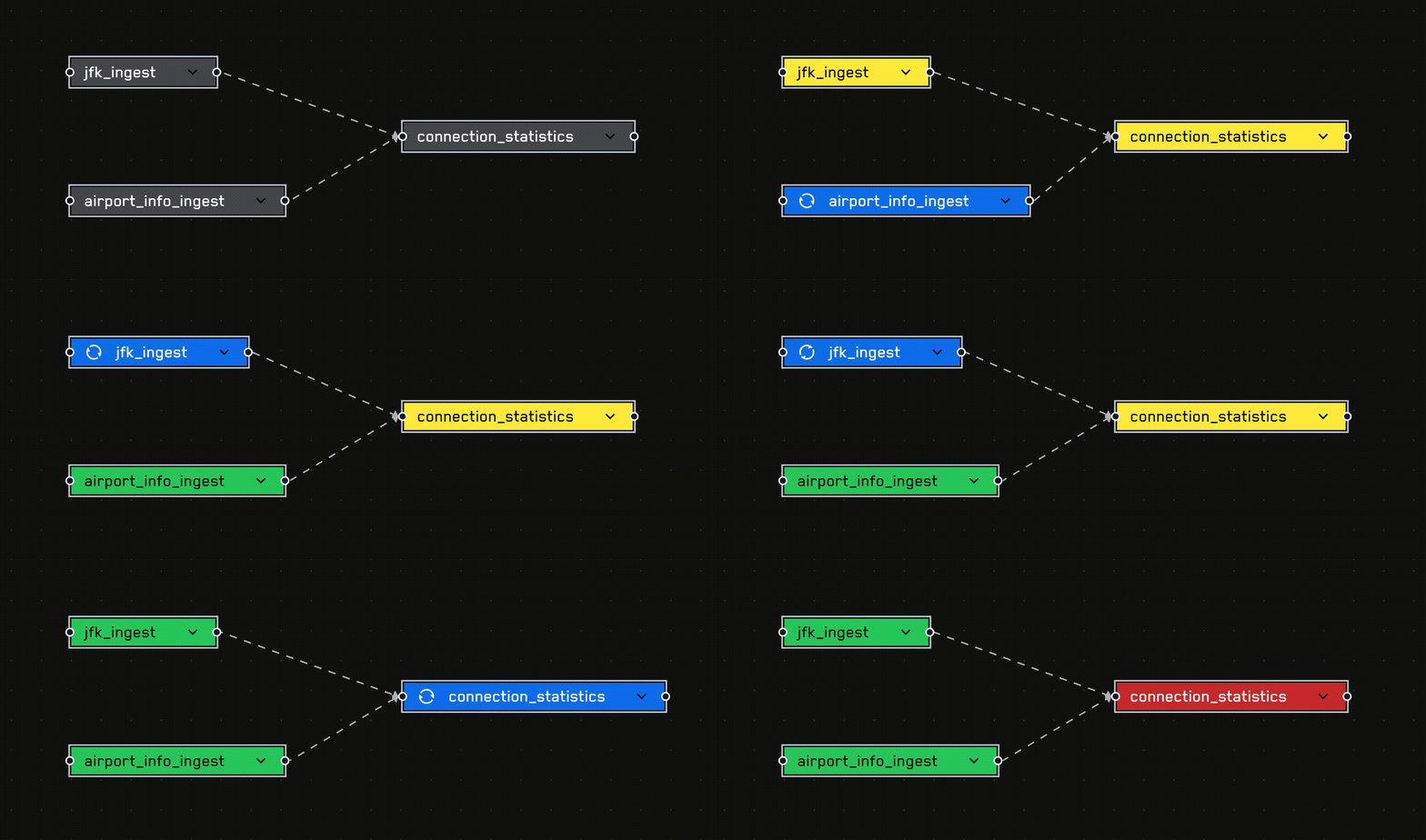
Note When multiple transformations are selected, the build system resolved dependencies and chooses the most efficient build sequence.
Upstream Build
Section titled “Upstream Build”When there are many upstream transformations, it can sometimes be beneficial to make use of the Upstream Build functionality, which, given a selected transformation, recursively crawls all upstream dependencies and builds them before building the current transformation.
Draft Build
Section titled “Draft Build”To enable rapid iteration during development, it is undesirable to have to commit every time we want to test our changes and build our dataset with new code.
The Draft Build serves as a short-lived build to test out our code and see the resulting dataset quickly without having to commit our changes.
The Draft Build can be invoked by clicking the Draft Build button in the code tab. It will use the latest uncommitted code to create a temporary build.
When running a Draft Build on a Transform that has upstream dependencies, the scheduling engine will first attempt to pull a Draft Build dataset from upstream if available before falling back to a regularly built dataset. This behavior enables testing of new code on dependent datasets without having to commit the changes.
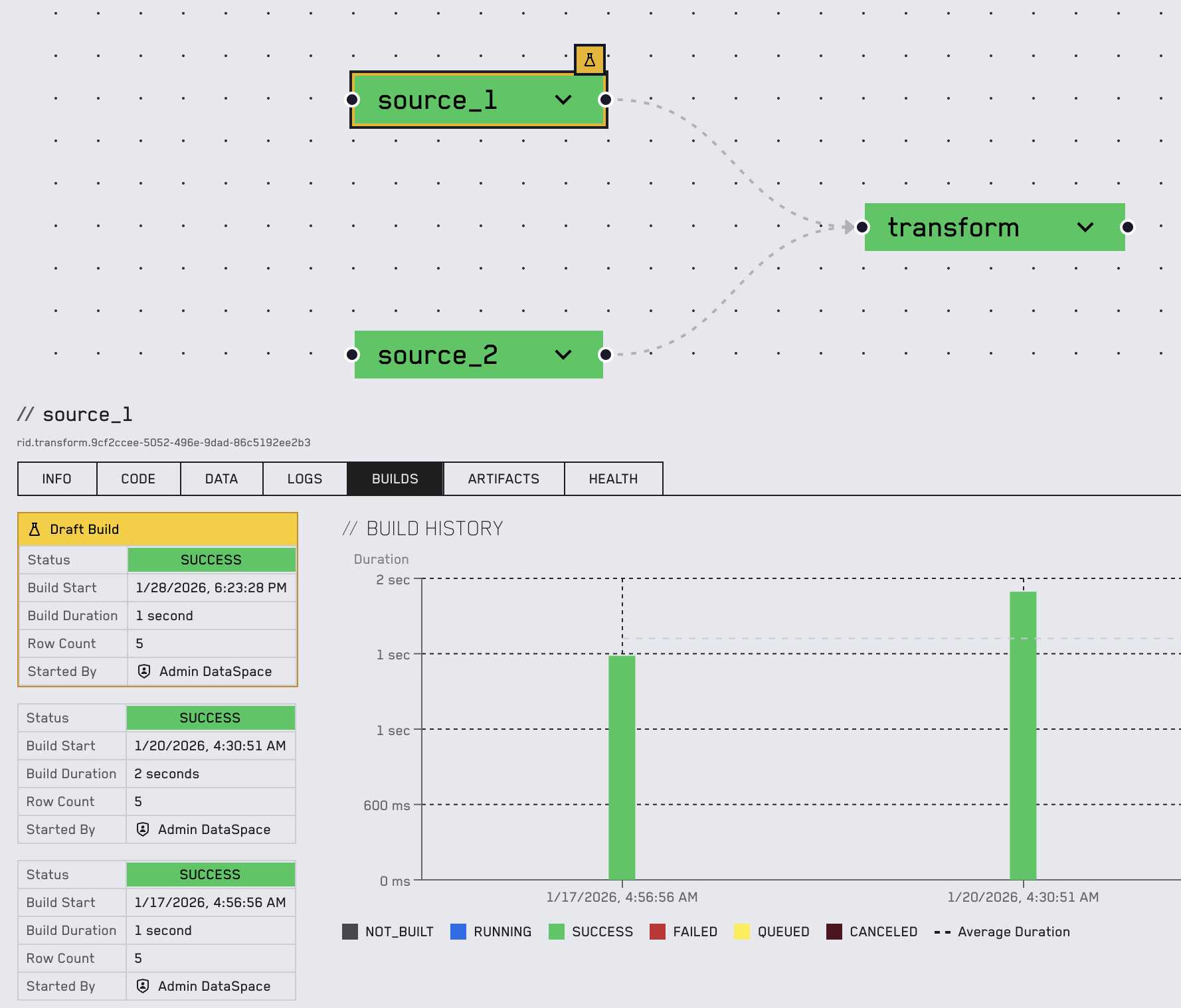
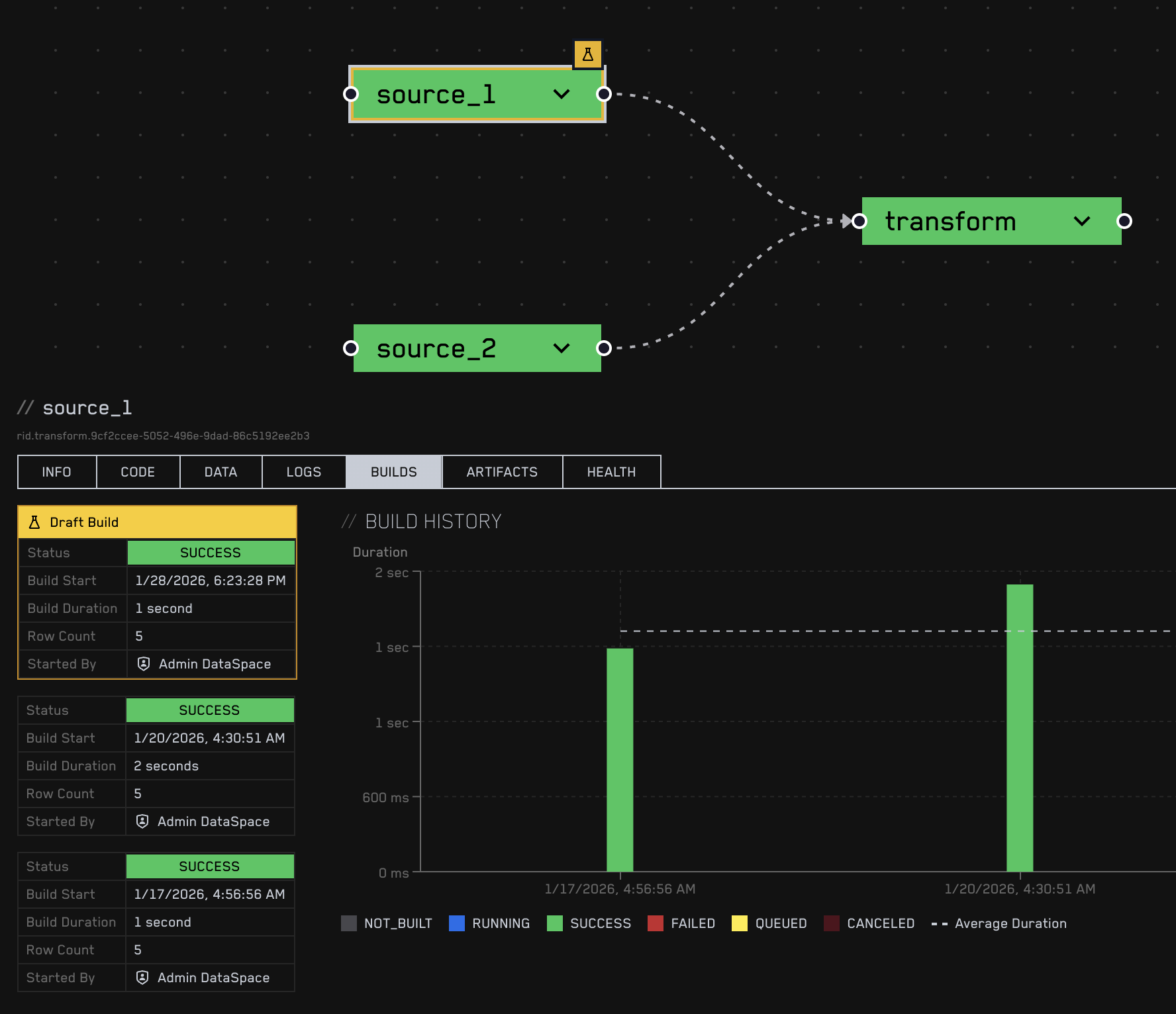
Draft builds are denoted by a yellow outline and a flask Icon
Incremental Build
Section titled “Incremental Build”A regular build always deletes the current dataset and replaces it with the freshly built dataset. In some cases, however, it is desirable to retain old data, for example, when historisation is required. This use case is supported and can be achieved with the following setup:
DataSpace internally stores the transforms as folders, code as files, and the produced datasets as parquet files. To perform an incremental build, the existing Parquet file from the transform can be manually read and concatenated to the new calculations.
import polars as plfrom datetime import datetimeimport os
def transform():    lf = pl.LazyFrame({'date': [datetime.now()]})
    old_path = os.environ['PREVIOUS_DATASET_PATH']    if os.path.isfile(old_path):        lf_old = pl.scan_parquet(old_path)        lf = pl.concat([lf, lf_old], how="diagonal_relaxed")    else:        print("No prior data found.")
    return lf
It often makes sense to run such an incremental build periodically. Please refer to Build Schedules to learn more.